# 🔥 Set GNOME Shell on Fire!


 When I released the [Desktop Cube Extension](https://github.com/Schneegans/Desktop-Cube/), many people requested to revive one of the most useless features of Linux desktop history: Setting windows on fire!
This extension is not only more useless than the cube, but it is also much more hacky. So I expect some bug! [Let's incinerate them all](https://github.com/Schneegans/Burn-My-Windows/issues)!
For a list of things changed in previous releases, you can have a look at the [changelog](docs/changelog.md)!
Effect | Preview
-----|--------
**Energize A**
When I released the [Desktop Cube Extension](https://github.com/Schneegans/Desktop-Cube/), many people requested to revive one of the most useless features of Linux desktop history: Setting windows on fire!
This extension is not only more useless than the cube, but it is also much more hacky. So I expect some bug! [Let's incinerate them all](https://github.com/Schneegans/Burn-My-Windows/issues)!
For a list of things changed in previous releases, you can have a look at the [changelog](docs/changelog.md)!
Effect | Preview
-----|--------
**Energize A**
Beam your windows away! | 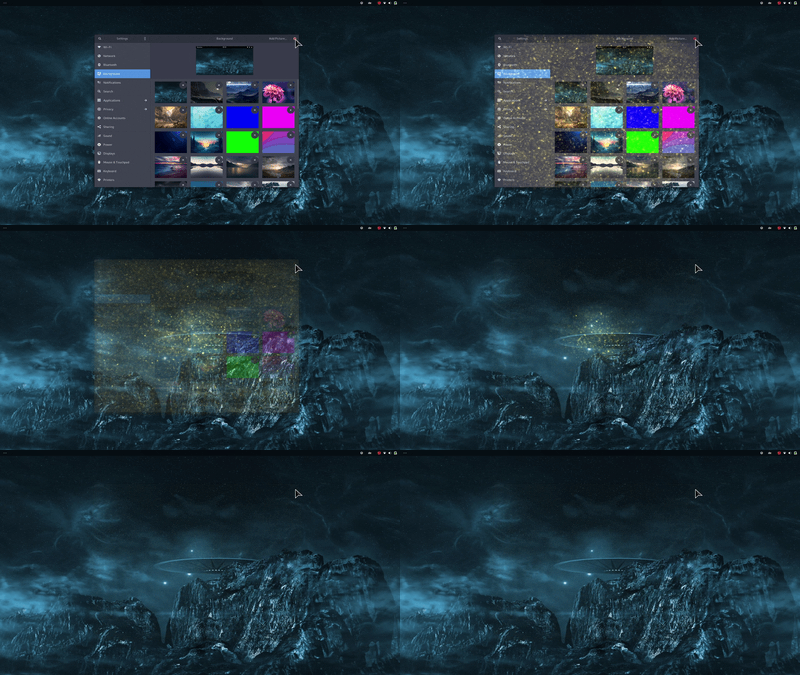 **Energize B**
Using different transporter technology results in an alternative visual effect. | 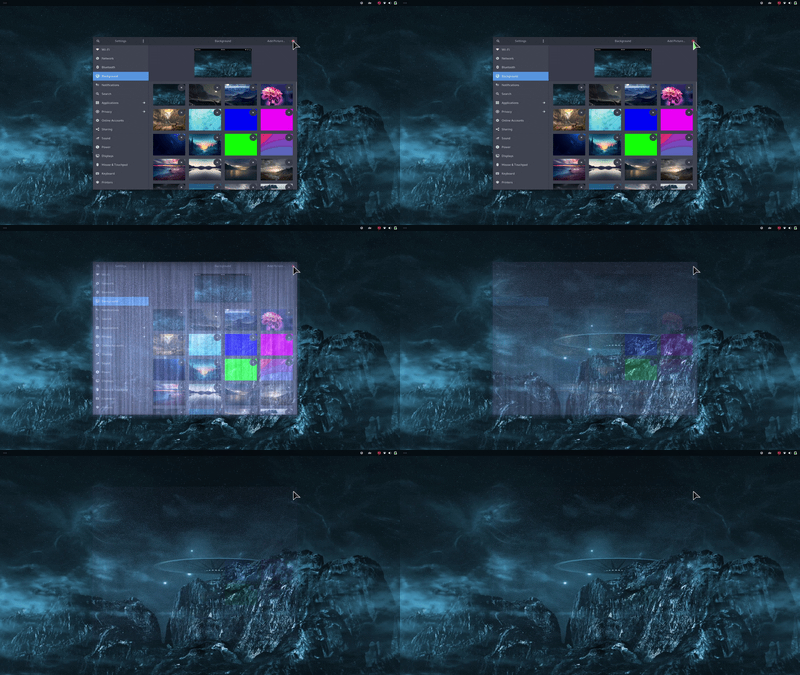 **Fire**
The classic effect inspired by Compiz. However, this is implemented using a GLSL shader and not with a particle system like in the old days. | 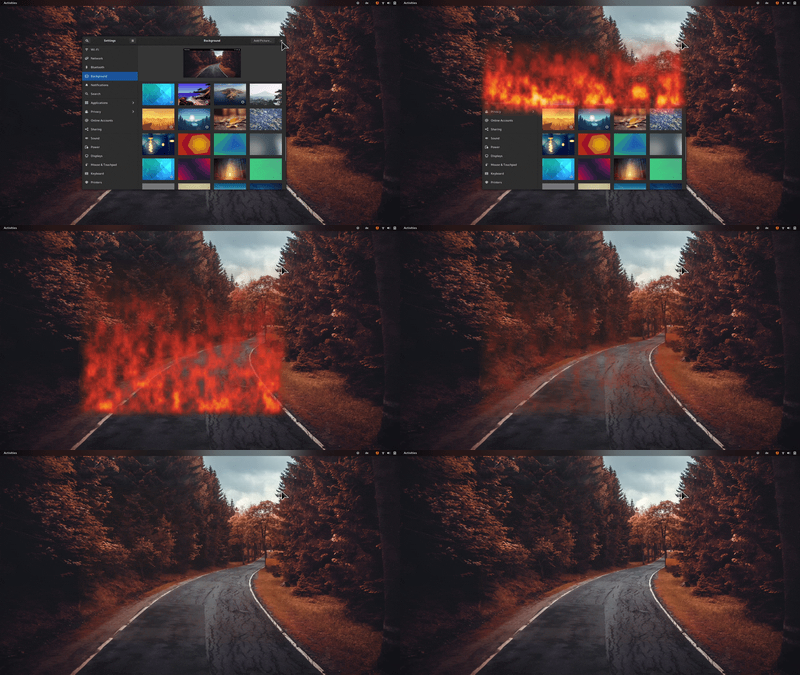 **Matrix**
Turn your windows into a shower of green letters! The color is actually configurable.
_Only available in GNOME Shell 40+_ | 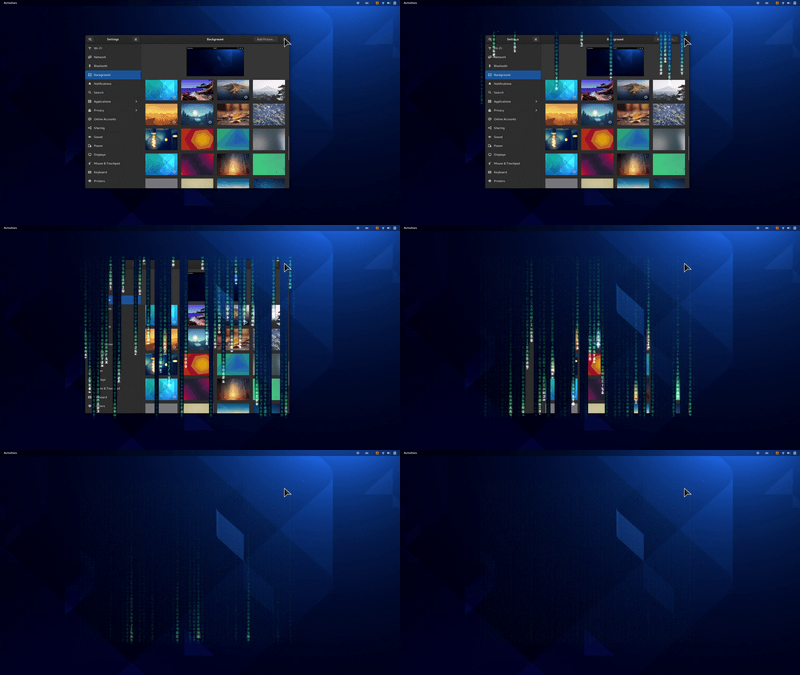 **T-Rex Attack**
Destroy your windows with a series of violent slashes!
_Only available in GNOME Shell 40+_ | 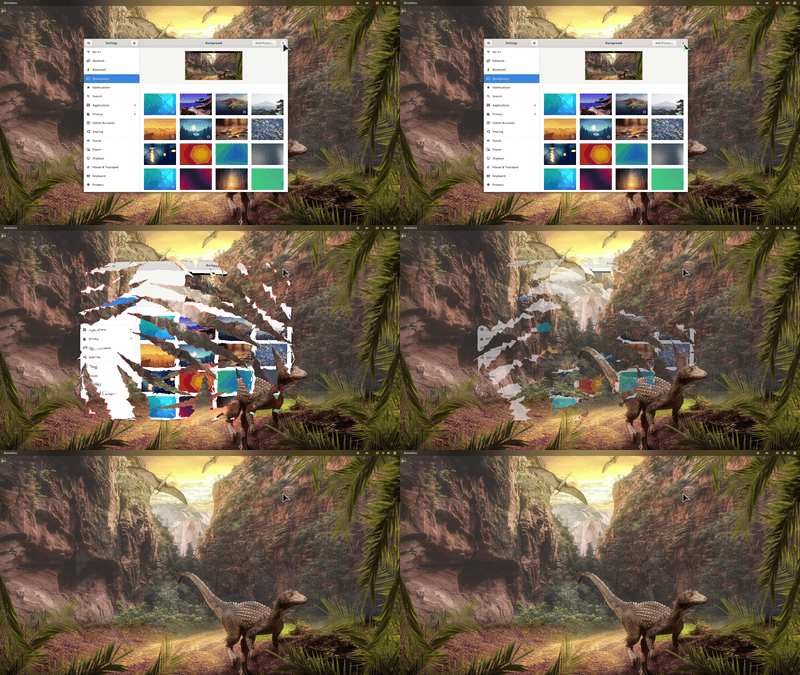 **TV-Effect**
This is a very simple effect to demonstrate that this extension could also be used in a more professional environment. | 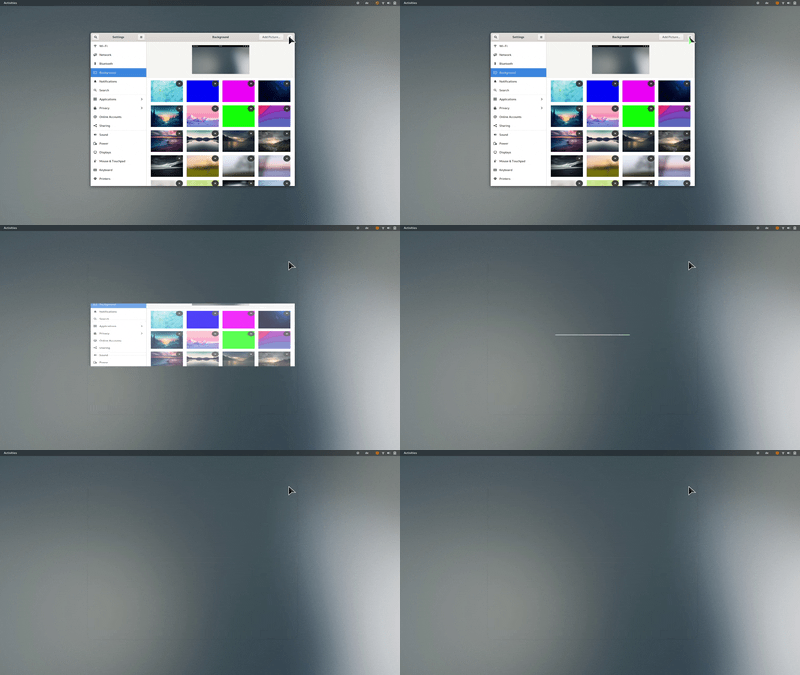 **Wisps**
Let your windows be carried away to the realm of dreams by these little fairies! | 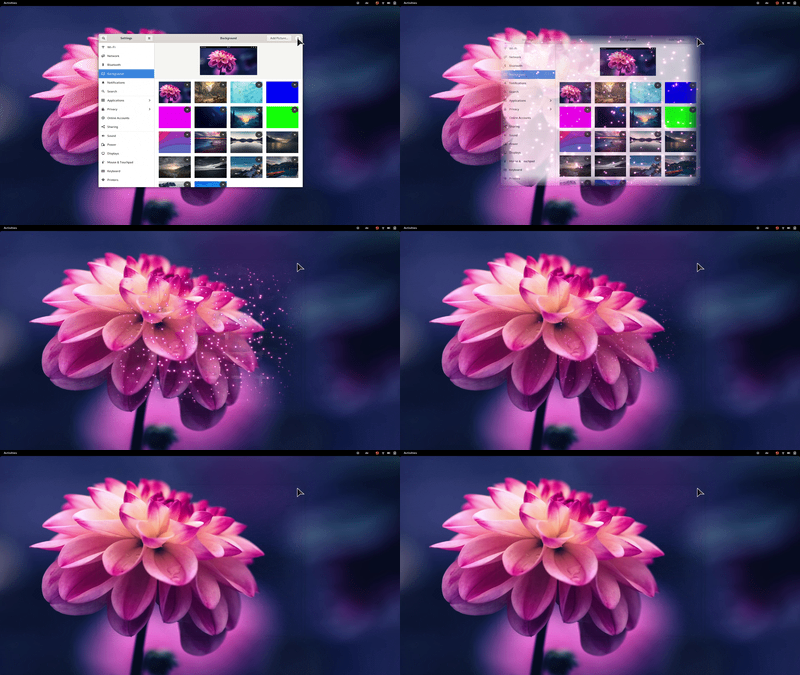 **Your Effect!**
The extension is very modular and with a bit of creativity and GLSL knowledge, [you can easily create your own effects](docs/how-to-create-new-effects.md). | [](docs/how-to-create-new-effects.md)
## 💞 These People _love_ this Extension
While coding new features is the most awesome way to contribute, providing financial support will help me stay motivated to invest my spare time to keep the project alive in the future.
🥇 Current Gold Sponsors
Dennis ten Hoove
🥈 Current Silver Sponsors
@MRR-dev
Jorge Castro
🥉 Current Bronze Sponsors
Be the first!
🏅 Previous Sponsors and One-Time Donators
@RickStanley
Do you want to show that you love it too? You may become a sponsor for as little as 1$ / month!
If you like this extension, you may also want to try one of my other extensions: [🧊 Desktop-Cube](https://github.com/Schneegans/Desktop-Cube) or [🍰 Fly-Pie](https://github.com/Schneegans/Fly-Pie/)!
## ⬇️ Installation
You can either install the Burn-My-Windows extension from extensions.gnome.org (a), download a stable release
from GitHub (b) or clone the latest version directly with `git` (c).
### a) Installing from extensions.gnome.org
This is the easiest way to install the Burn-My-Windows extension. Just head over to
[extensions.gnome.org](https://extensions.gnome.org/extension/4679/burn-my-windows/) and flip the switch!
If you want to use a more up-to-date version, you can try one of the methods listed below.
### b) Downloading a Stable Release
Execute this command to download the latest stable release:
```bash
wget https://github.com/Schneegans/Burn-My-Windows/releases/latest/download/burn-my-windows@schneegans.github.com.zip
```
Install it by executing the following command. If you have the Burn-My-Windows extension already installed and want to upgrade to
the latest version, append the `--force` flag in order to overwrite existing installs of the Burn-My-Windows extension.
```bash
gnome-extensions install burn-my-windows@schneegans.github.com.zip
```
Then restart GNOME Shell with Alt + F2, r + Enter.
Or logout / login if you are on Wayland.
Then you can enable the extension with the *Gnome Tweak Tool*, the *Extensions* application or with this command:
```bash
gnome-extensions enable burn-my-windows@schneegans.github.com
```
### c) Cloning the Latest Version with `git`
You should **not** clone the Burn-My-Windows extension directly to the `~/.local/share/gnome-shell/extensions` directory as this may get overridden occasionally!
Execute the clone command below where you want to have the source code of the extension.
```bash
git clone https://github.com/Schneegans/Burn-My-Windows.git
cd Burn-My-Windows
```
Now you will have to install the extension.
The `make` command below compiles the locales, schemas and resources, creates a zip file of the extension and finally installs it with the `gnome-extensions` tool.
```bash
make install
```
Then restart GNOME Shell with Alt + F2, r + Enter.
Or logout / login if you are on Wayland.
Then you can enable the extension with the *Gnome Tweak Tool*, the *Extensions* application or with this command:
```bash
gnome-extensions enable burn-my-windows@schneegans.github.com
```
## :octocat: I want to contribute!
That's great!
Most likely, you want to [create a new effect](docs/how-to-create-new-effects.md)?
Here are some basic rules to get you started:
Commits should start with a Capital letter and should be written in present tense (e.g. __:tada: Add cool new feature__ instead of __:tada: Added cool new feature__).
You should also start your commit message with **one** applicable emoji.
This does not only look great but also makes you rethink what to add to a commit. Make many but small commits!
Emoji | Description
------|------------
:tada: `:tada:` | When you added a cool new feature.
:wrench: `:wrench:` | When you added a piece of code.
:recycle: `:recycle:` | When you refactored a part of the code.
:sparkles: `:sparkles:` | When you applied clang-format.
:globe_with_meridians: `:globe_with_meridians:` | When you worked on translations.
:art: `:art:` | When you improved / added assets like themes.
:lipstick: `:lipstick:` | When you worked on the UI of the preferences dialog.
:rocket: `:rocket:` | When you improved performance.
:memo: `:memo:` | When you wrote documentation.
:beetle: `:beetle:` | When you fixed a bug.
:revolving_hearts: `:revolving_hearts:` | When a new sponsor is added or credits are updated.
:heavy_check_mark: `:heavy_check_mark:` | When you worked on checks or adjusted the code to be compliant with them.
:twisted_rightwards_arrows: `:twisted_rightwards_arrows:` | When you merged a branch.
:fire: `:fire:` | When you removed something.
:truck: `:truck:` | When you moved / renamed something.